
1
Start with the master.
One finished 16:9 cut, exactly as you shipped it. Nothing to re-edit, nothing to prep.
Workflow · Mobile transformation
Point Prism at the cut you already made. It reads the scene, follows whoever carries the moment, and switches layout when one frame can’t hold the story. You approve every step.
One real master, reframed and shipped platform-native, start to finish.
Prism produces the first cut and hands you the controls with it: focal areas, layout choices, and framing, all live in the Editing Suite to approve or change.
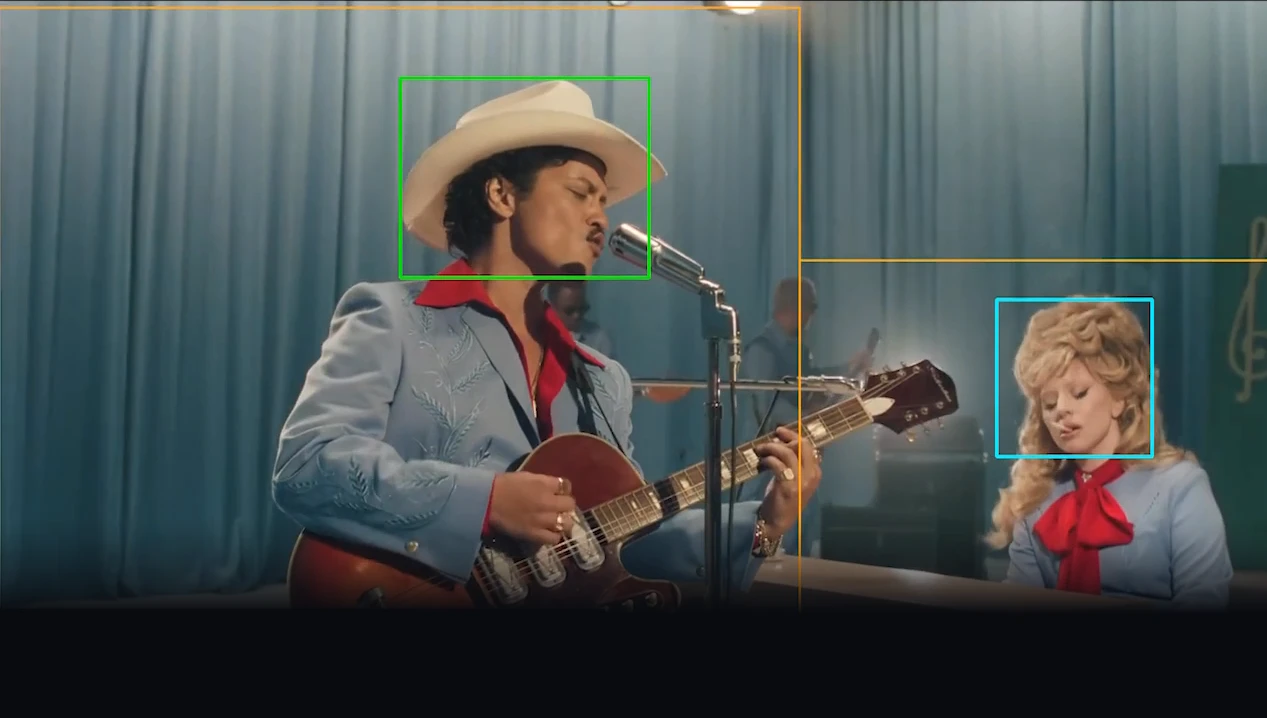
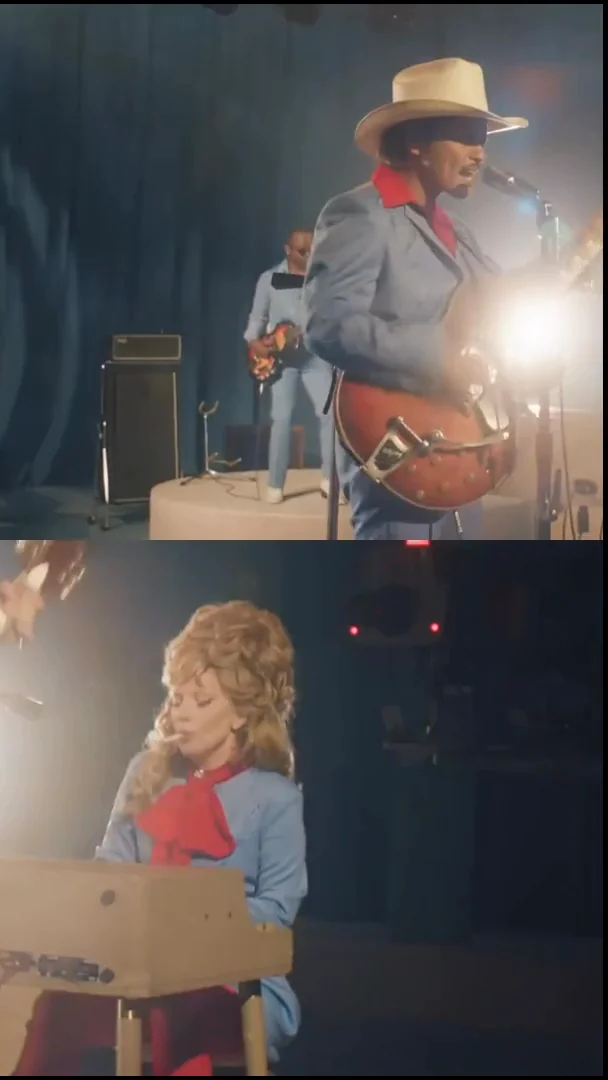
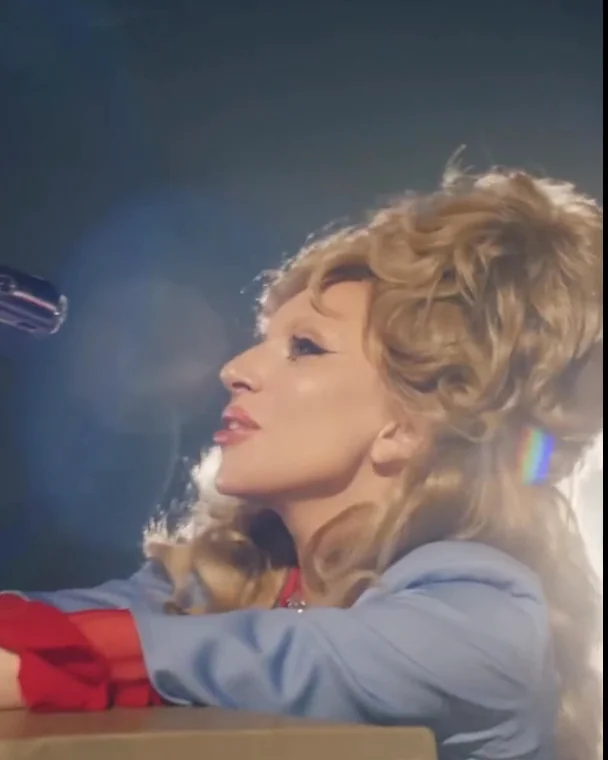
A single wide shot often carries two performances at once: the vocalist at the mic, the pianist mid-verse. Prism finds both focal areas and stacks them into one 9:16 cut, Split Screen, Quarters, Diamond, or Anchor. Composed for the format, never a crop.
From master to platform-native set in four steps. Have your say at every stage.
One finished 16:9 cut, exactly as you shipped it. Nothing to re-edit, nothing to prep.
Pick the formats you need to ship: vertical, square, story, or your own preset.
It reads the scene, follows whoever carries the moment, and switches layout when a single frame can’t hold it. Never a centre crop.
A finished cut per destination, captions and brand intact, delivered to your workflow or straight back through the API.
Reframe the cut, recompose every frame, and ship to every platform — Prism does the production work, and hands you the controls at any step.
Just describe the edit you want, in plain English.
Scene-aware tracking keeps whoever carries the moment in frame.
Split Screen, Quarters, Diamond, or Anchor, when one frame can’t hold it.
Animated captions, always on brand.
Lower-thirds, bumpers, and chyrons generated in your style.
Custom voices, presenters, and personas.
Full grading controls, inside the Suite.
Levels, clipping, and music, in the editor.
One cut, recomposed to 16:9, 9:16, 1:1, and 4:5.
New languages, same voice, captions included.
Full manual control in the Editing Suite, any time.
Broadcast, web, and social — platform-native.
Enterprise
Built for broadcasters and media teams turning deep 16:9 catalogs vertical at scale: your MAM, your approvals, your brand.
Grounded in the master your desk already approved, reviewed by your team before it ships, traceable to the timecode it came from. Prism never invents footage or fabricates frames.
Roles, approval gates, and brand controls — configurable per workflow, per brand, per team.
Dedicated onboarding and deployment, region-specific where you need it.
*Independent SOC 2 Type II audit and EU data residency in progress — both expected late 2026.
FAQ
The things broadcasters and media teams ask us most. Anything we missed? Book a demo and ask us directly.
See how Video Intelligence can transform your production workflow.
We’ll use your email to send Prism product updates. You can unsubscribe at any time. See our Privacy Policy.