Creating a script or video
Start the draft, then follow it in Project Outputs.
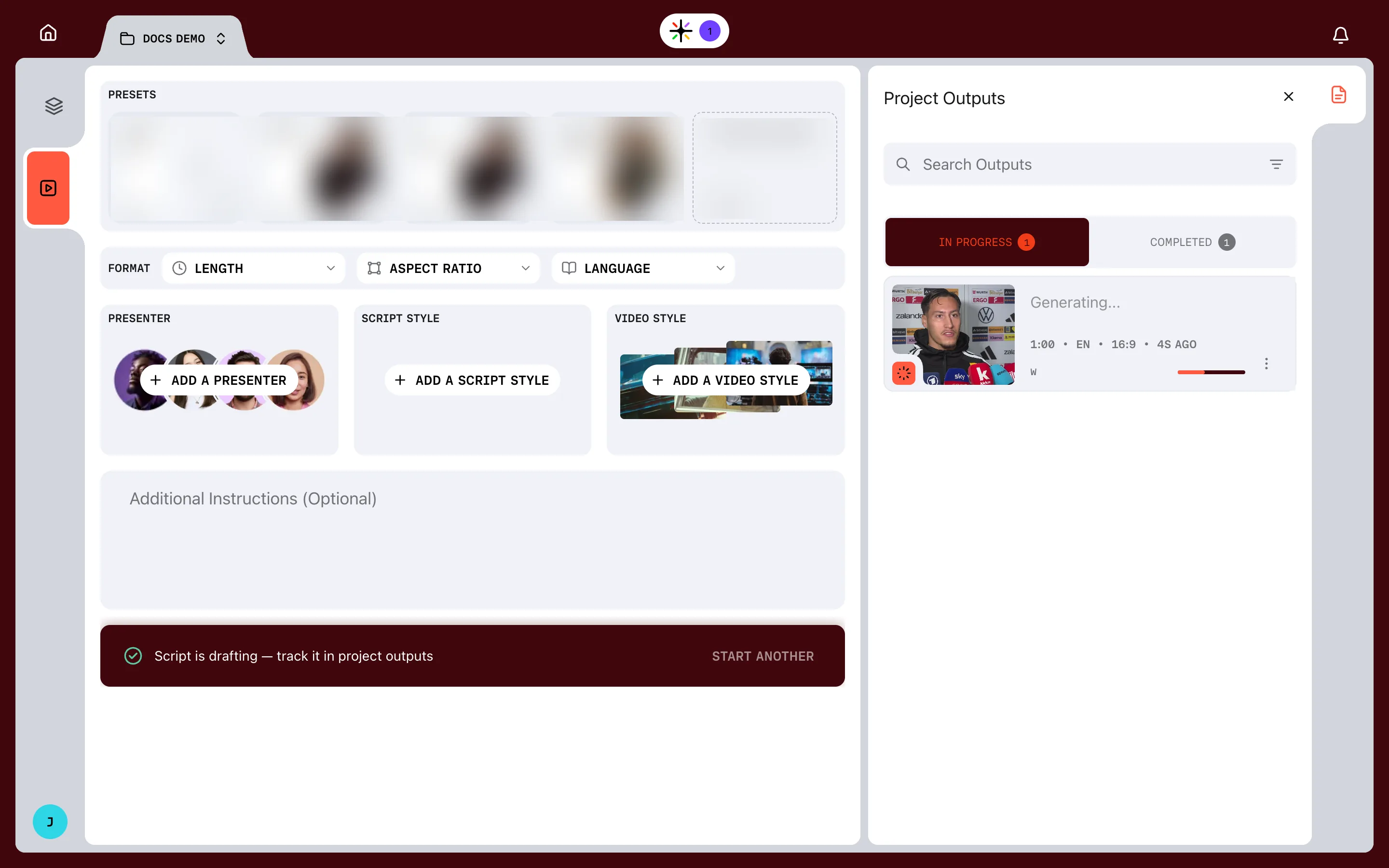
Once the brief is complete, choose how far Prism goes. Stop at the script to read it first, or go straight through to a first cut.
Script first, or straight to video
- CREATE SCRIPT drafts the script and stops. You review it in the Writers Room and shape the words before anything is cut
- CREATE VIDEO drafts the script and cuts the edit without stopping. You review the result in the Editing Suite
Take CREATE SCRIPT until you know what your styles produce. Reading a draft is the quickest way to learn them.
What happens next
The action bar confirms with Script is drafting — track it in project outputs, and START ANOTHER beside it. A moment later the brief clears, ready for the next video.
The new output appears under IN PROGRESS in Project Outputs. Its card reads Generating…, shows the length, language and aspect ratio, and names the step Prism is on, such as WRITING SCRIPT. The Task Manager in the header counts the work in progress.
Credits
While Prism works, the job holds credits. A hold is not a charge. When the job finishes, the real cost is taken and the rest is released. Credits has the detail.
Several videos from one project
Brief as many videos from one project as the story needs, such as a broadcast cut and a vertical cut. Each is its own output, and they all share one Project Library.