Credits
What spends credits and how the balance works.
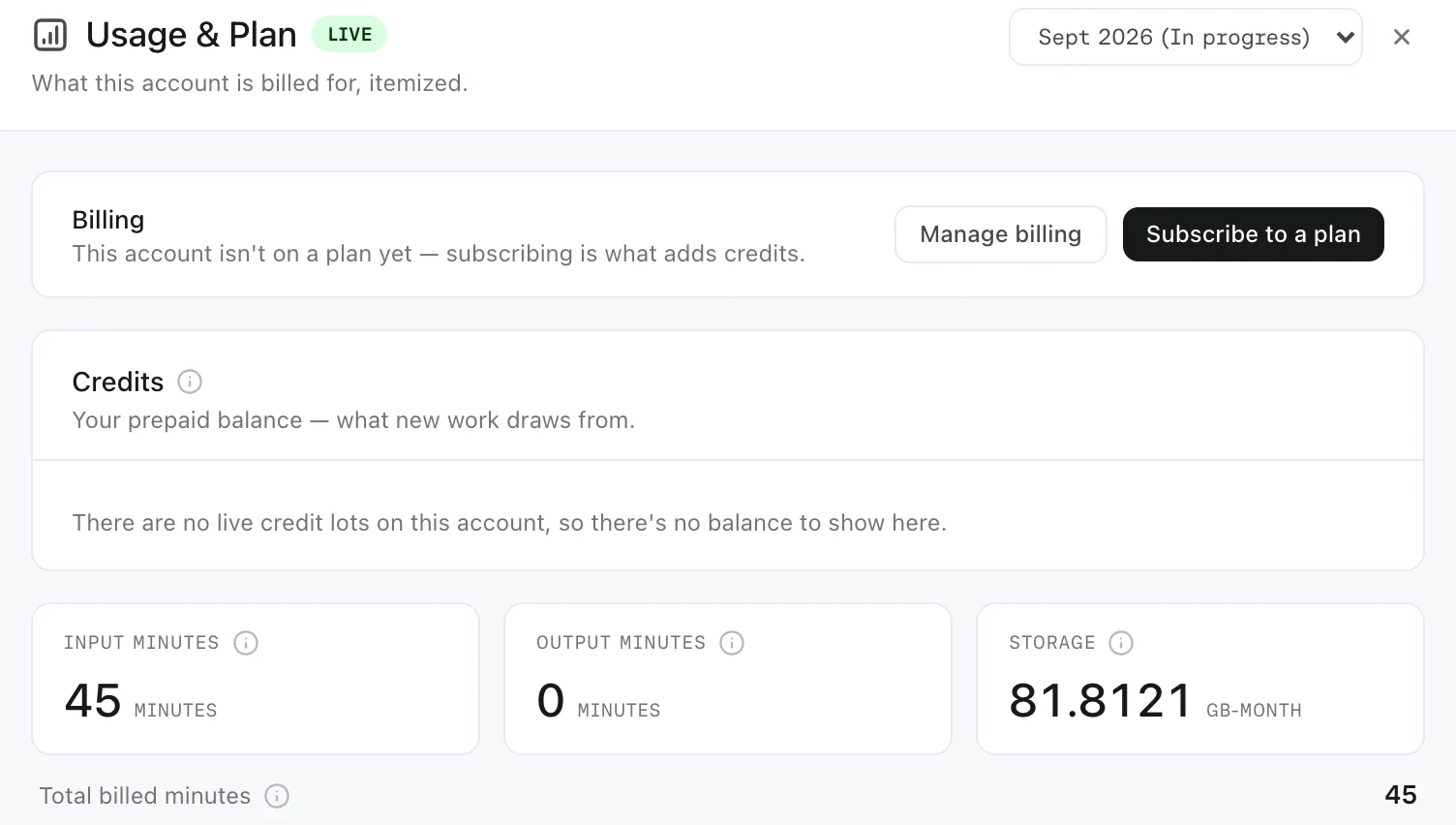
Every Prism plan includes a monthly allowance of credits, and work in Prism spends from your account's balance.
You do not pay per video. Work spends from the balance, and Usage & Plan shows where it stands.
What spends credits
Usage is measured in minutes of media:
- Input minutes, at 2 credits each, for footage and other media you bring in. Each asset counts once, however many projects use it
- Output minutes, at 50 credits each, for every video Prism builds. Each build is measured at the runtime of the edit it produces, rounded up to the next whole minute
Every build that finishes counts, including a second build of the same video. Three builds of one video at 1:52, 2:55 and 1:40 count as 2, 3 and 2 output minutes, which is 350 credits.
Storage is measured separately, for the whole account.
Writing a script, editing the timeline by hand, rendering, exporting and downloading spend nothing. Neither do reading, browsing and searching.
The three figures
You will see the balance described three ways, and they mean different things.
In the account is what has been granted and not yet spent or expired.
On hold is reserved by work that is currently running — a reservation, not a payment. When the job finishes the actual cost is taken and the remainder is released, so a job that reserved more than it needed gives the difference back.
Available to spend is what is left to start something new. This is the figure any gate checks before letting you begin.
Why work sometimes will not start
If available credit is too low, Prism stops the work before it begins rather than partway through. That is deliberate: a build stopped halfway leaves you nothing to work with.
A job can still finish costing more than was available, which leaves the balance negative. New work stays paused until credits are added.
While the balance is empty, new ingests, scripts, builds, renders and exports are paused. Rendering and exporting spend nothing, but they wait for credits too. On Enterprise plans, Prism's agents also stop responding.
How the balance is grouped
Credits sit in separate lots rather than one pool, and the lots behave differently.
Credits that came with your plan expire at the end of their term. Credits bought separately also expire, after a set period.
Prism spends the credits that expire soonest first, so nothing is wasted.
Your allowance and topping up
Your plan sets how many credits arrive each month, and the rate for credits beyond that.
Top up at any time from Usage & Plan, with Buy credits. Only the account owner, or a member with billing permissions, can buy credits or choose a plan.
Where to look
Usage & Plan, in the account menu, itemizes what your account is billed for, one month at a time. The period selector at the top goes back a year.
- Billing — your plan, with Manage billing
- Credits — your balance, as the three figures above
- Input minutes, Output minutes and Storage for the month, with the media and outputs behind each
Usage & Plan is account-level, so what you see there depends on your role.
FAQ
Does a failed job still cost me?
No. A build that fails before it produces an edit spends nothing, and its hold is released. Retrying starts a new build, which counts when it finishes. If you think a failed job was charged, contact us.
Can I see what a video will cost before I make it?
Not as a quote. Output minutes follow the edit's runtime, and input minutes the length of what you bring in, so a longer video uses more. Check Available to spend before starting something large.