Downloading your video
Get the finished file out of Prism.
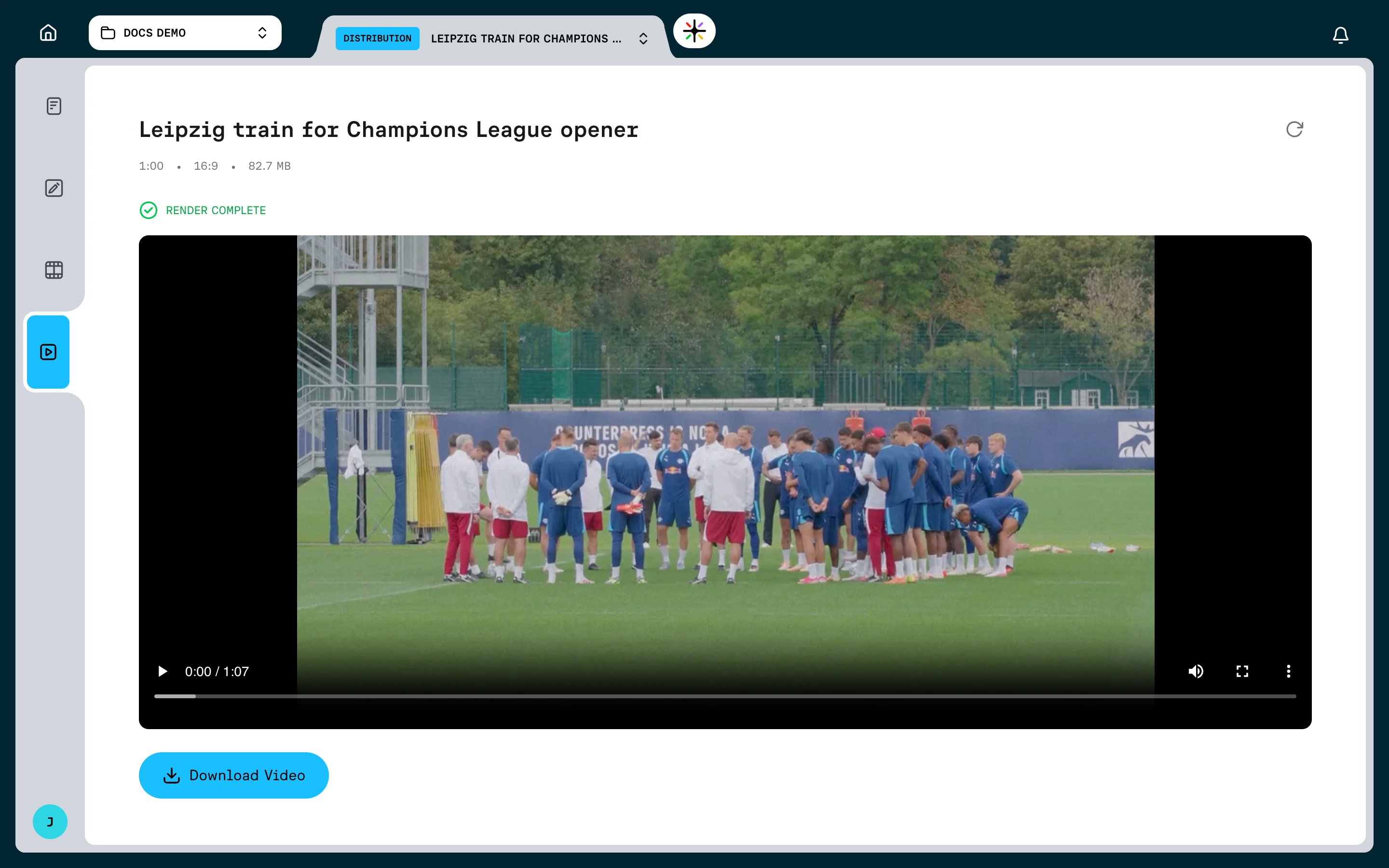
Download a completed render to save or share the finished video outside Prism. Prism does not provide a share link, public link, embed code or publishing integration.
There are two places to download from: the Distribution page, and the ⋯ menu on the output card. Both give you the same file. The card menu is quicker; the Distribution page lets you watch the video first.
Download from the Distribution page
- Open a completed output, or choose Distribution in the left rail
- Check the video in the player
- Click Download Video
The file saves straight to your browser's download location. No new tab opens.
The Distribution tab is locked until the output is completed, and stays locked for any output that failed.
What the header tells you
Above the player you get the output's name, or Untitled Output if you have not named it.
Beside the name sit three facts about the file: its duration, its aspect ratio and its size.
A green check and Render Complete confirm the render finished.
Download from the outputs list
Open the ⋯ menu on a completed output card and choose Download.
This fetches the file without opening the Distribution page, which is the faster path when you already know the render is good.
If something goes wrong you get a Failed to download video message. Try again from the Distribution page.
Finding the right output
Completed outputs sit in the completed tab of the Project Outputs panel, each with a check icon. Clicking one opens its Distribution page.
An output that is still rendering cannot be opened at all, though its ⋯ menu stays available.
If the player is empty
The player shows Video preview unavailable when there is no video to play for that output.
Click the Refresh icon in the header. It re-checks the render and fetches a fresh link.
Three messages appear as plain red text when the page cannot load at all:
| Message | What it means |
|---|---|
| No output ID provided | The page was opened without an output |
| No render available for this output | The output has never been rendered |
| Failed to load data | Prism could not reach the render |
Before you re-render
An output keeps one render, and rendering again replaces the file. Download first, then re-render — see Re-rendering.
The player is your browser's
The player itself is your browser's, so its controls look different in Chrome, Safari and Firefox. The Download Video button below it is Prism's, and is the same everywhere.
FAQ
Can I download an earlier version of the video?
No. Only the most recent render exists. Versions in Prism are versions of the edit, not of rendered files.
Can I download the script as well?
Yes, but separately. The Export Script panel in the Writers Room writes the script as PDF, Word, plain text or Markdown.
Can I take the edit into another editing system instead?
Yes. Export the timeline for Adobe Premiere Pro. That gives you a timeline and its media, not a finished video.