Licensed providers
Search AP, Reuters, Getty and the other sources connected to your account.
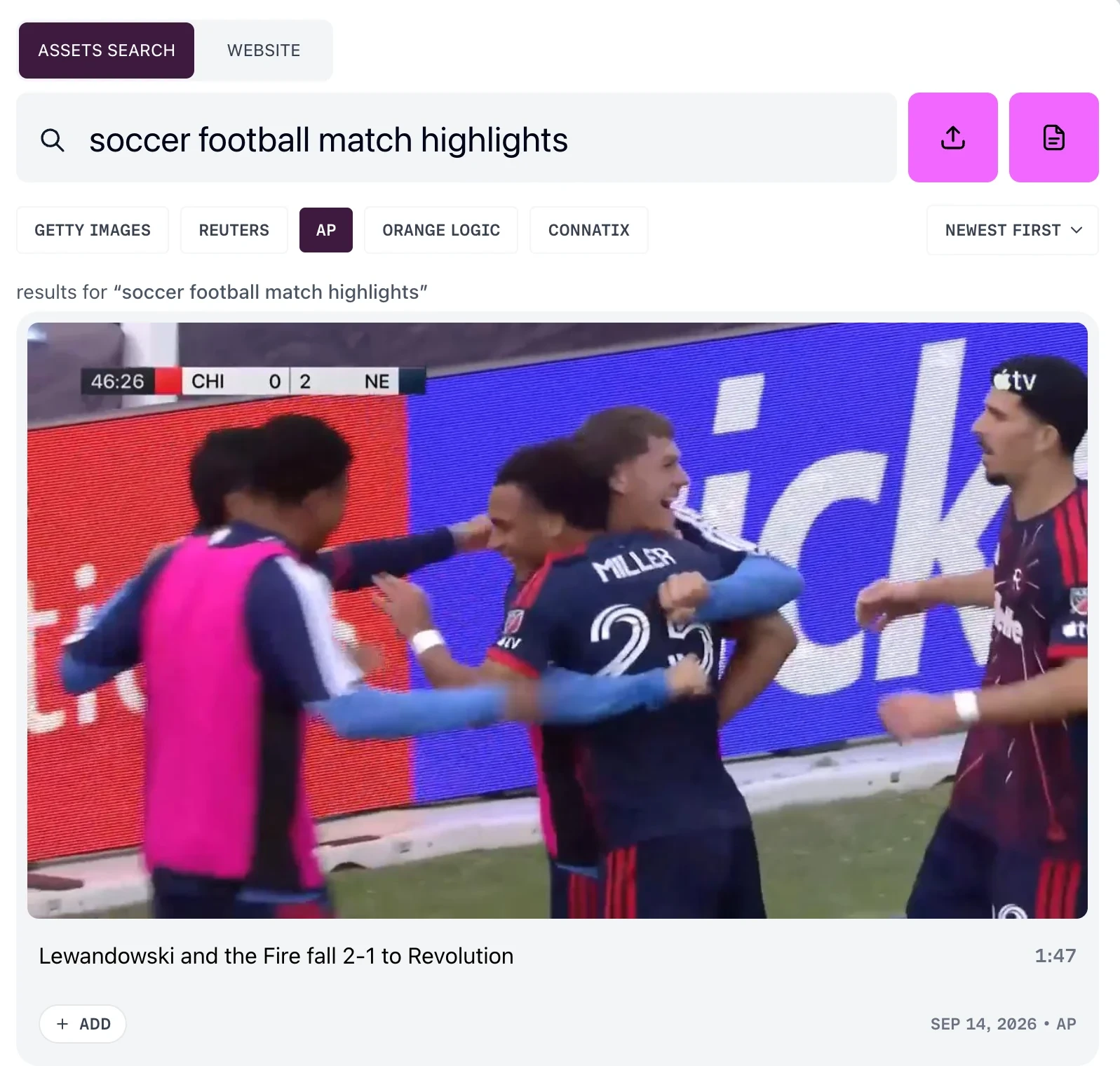
Prism can search sources outside your own library — news agencies and stock libraries your account is connected to — and pull what you find into the library alongside your own footage.
Once it is in, it behaves like anything else you uploaded. It is searchable, and you add it to projects the same way.
Which sources you will see
Prism works with AP, Reuters, Getty, Orange Logic and Connatix. You see only the ones connected to your account.
If none are connected the panel reads No sources connected, and tells you to connect AP, Reuters, Orange Logic or Getty in Settings to search external content.
You connect them yourself, from CONNECTORS in the account menu. On Team and Enterprise plans, only an account admin can connect Getty. Your account shows where that is.
Searching a connected source
There are two ways in, and they differ in where the material lands.
From Asset Search, choose Search sources, pick a source in the left rail, and run your query. What you add joins your library.
From inside a project, the search field offers the connected providers as filters — GETTY IMAGES, REUTERS, AP, ORANGE LOGIC, CONNATIX — with a sort beside them. Results there carry + ADD rather than Add to library, and what you add goes straight into that project.
Either way, the search box names the sources it is about to search.
Narrowing what comes back
Filters vary by provider:
- Switch between VIDEO and IMAGE where the provider offers both
- Change the sort — newest, oldest, most relevant or most popular
- Use Premium Access on Getty to include, exclude or isolate premium material
If a provider does not support the sort you asked for, Prism tells you which sort it used instead.
Previewing a result
Select a result to open the Details panel. Opening it brings nothing in, so you can read and preview as much as you like without touching your library.
The panel carries the provider's own metadata: LOCATION, COPYRIGHT, USAGE TERMS, SOURCE FORMAT, PERSONS PICTURED, LANGUAGE, and the storyline and shotlist where the provider filed them.
Bringing an item in
Choose Add to library on the result.
The button reports its own progress — Adding…, then In library — and a message confirms the item is searchable when it lands.
Getty is different: a Getty result can arrive as a preview or as a licensed file, and Prism asks which before it starts. Getty previews explains the choice.
If something fails
A failed item shows Couldn't add with a Retry beside it.
Some material cannot be pulled at all, and Prism says that the asset is not available to download right now.
The Activity tray keeps every import in view while you carry on searching.
FAQ
Is this the same as From the wire on Home?
They overlap. Both reach AP and Reuters through your account's connections, but they do different jobs. From the wire is a live feed of news packages grouped into stories, and it starts a new project from one. Searching sources also covers Getty, Orange Logic and Connatix, and brings what you find into your library or the project you have open.