Writers Room
Where the script for an output is written.
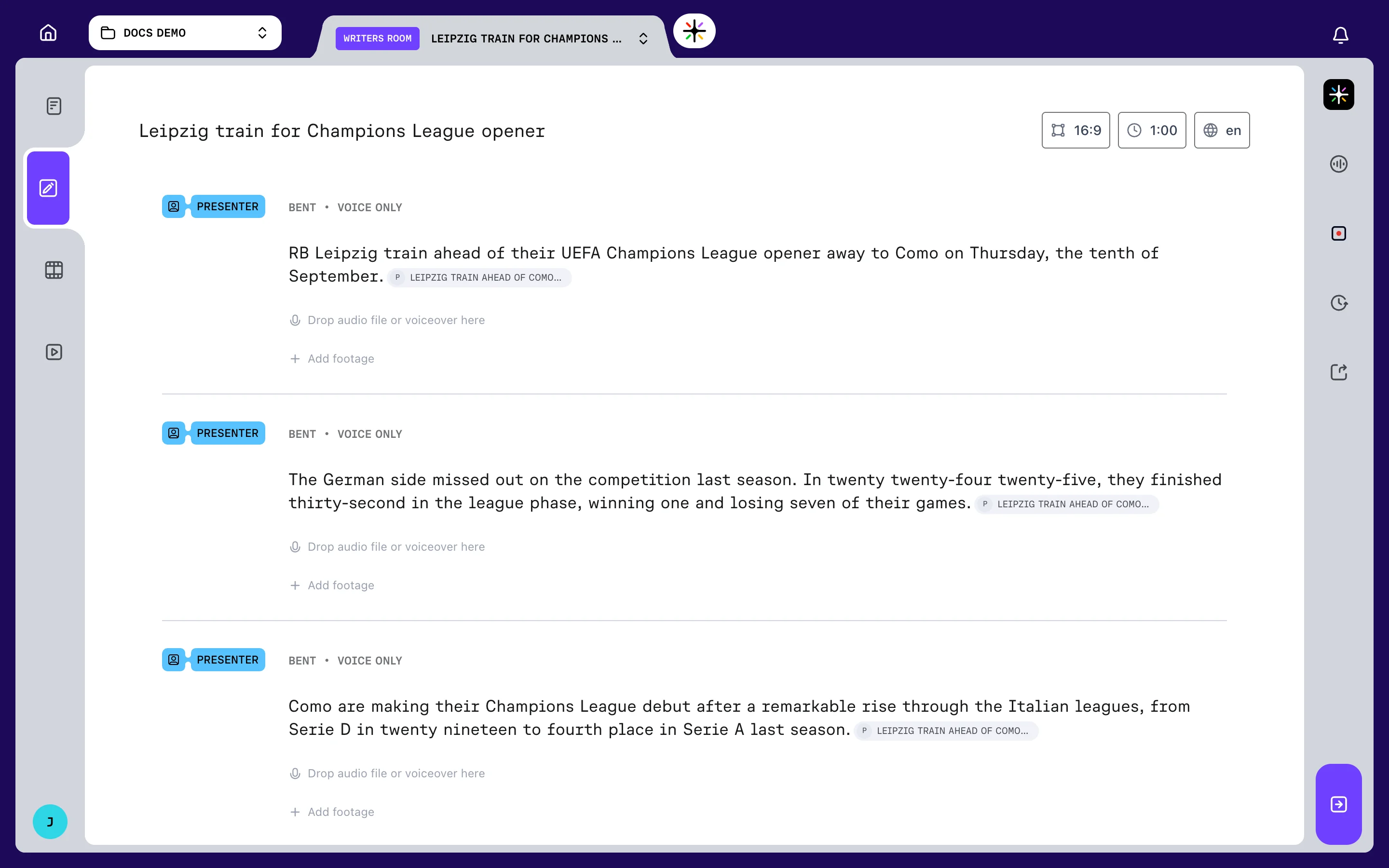
Every output has a script. The Writers Room opens it as the Script tab in the workspace.
Prism drafts the script from your Assignment Desk brief. In the Writers Room, you review it, rewrite it and decide what stays.
Nothing is cut here. You work on words, quotes and running order, before any picture is laid against them.
Opening the Writers Room
Brief the video at the Assignment Desk and choose CREATE SCRIPT. Prism drafts it in the background and the output appears under IN PROGRESS in the Project Outputs panel. Open it when it is ready, then choose Script.
The Video Editor and Distribution tabs stay locked until the output has reached those stages. Core concepts explains how an output moves through them.
Writers Room layout
The centre column is the script itself: a numbered list of blocks, top to bottom, in running order.
Above it sits the output's name and three badges — aspect ratio, duration and language.
The right rail
Everything else in the Writers Room lives in the rail down the right-hand side.
| Panel | What it is for |
|---|---|
| Prism | Ask the agent to draft, rewrite or restructure (Enterprise plans) |
| SOT | Browse the soundbites found in your footage |
| Presenter uploads | Add recorded narration for the script |
| Version | Save a version, or restore an earlier one |
| Export | Take the script out as a document |
Only one panel is open at a time. Opening one closes whichever was open before.
Below them is Commit Script, which hands the finished script to the video editor — see Committing a script. With a panel open it runs the full width of the rail and carries its name. With no panel open it collapses to a single icon in the corner.
Editing the script
Click a block's text to edit it in place. Clicking away saves what you wrote.
While a block is open, every other block dims and blocks cannot be dragged. Blocks covers adding, reordering and deleting them.
The Writers Room keeps its own undo history, separate from the Editing Suite's.
Saving and versions
The script saves itself every 30 seconds whenever something is unsaved. Leaving the page with unsaved changes prompts you first.
Autosaves are not named. To mark a point you can return to, open Version and choose Save Current Version.
Each saved version can be restored, and its description edited afterwards.
Exporting the script
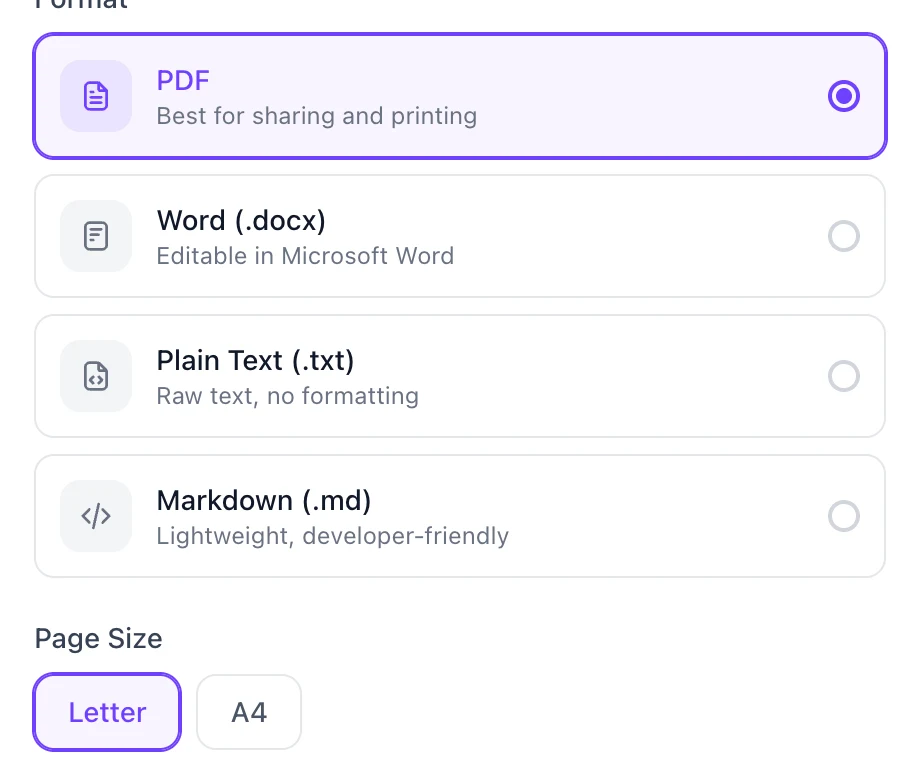
Open Export to take the script out of Prism as a document.
| Format | Best for |
|---|---|
| Sharing and printing | |
| Word (.docx) | Editing in Microsoft Word |
| Plain Text (.txt) | Raw text, no formatting |
| Markdown (.md) | Lightweight, developer-friendly |
PDF also asks for a page size, Letter or A4.
Name the file, then choose DOWNLOAD. The filename cannot be blank, and Prism remembers the format you used last.
FAQ
Does the export include soundbites?
Yes. Narration, soundbites, footage blocks and bumpers all appear, with the speaker and quote for each soundbite.