Video styles
Control how an edit is cut and dressed.
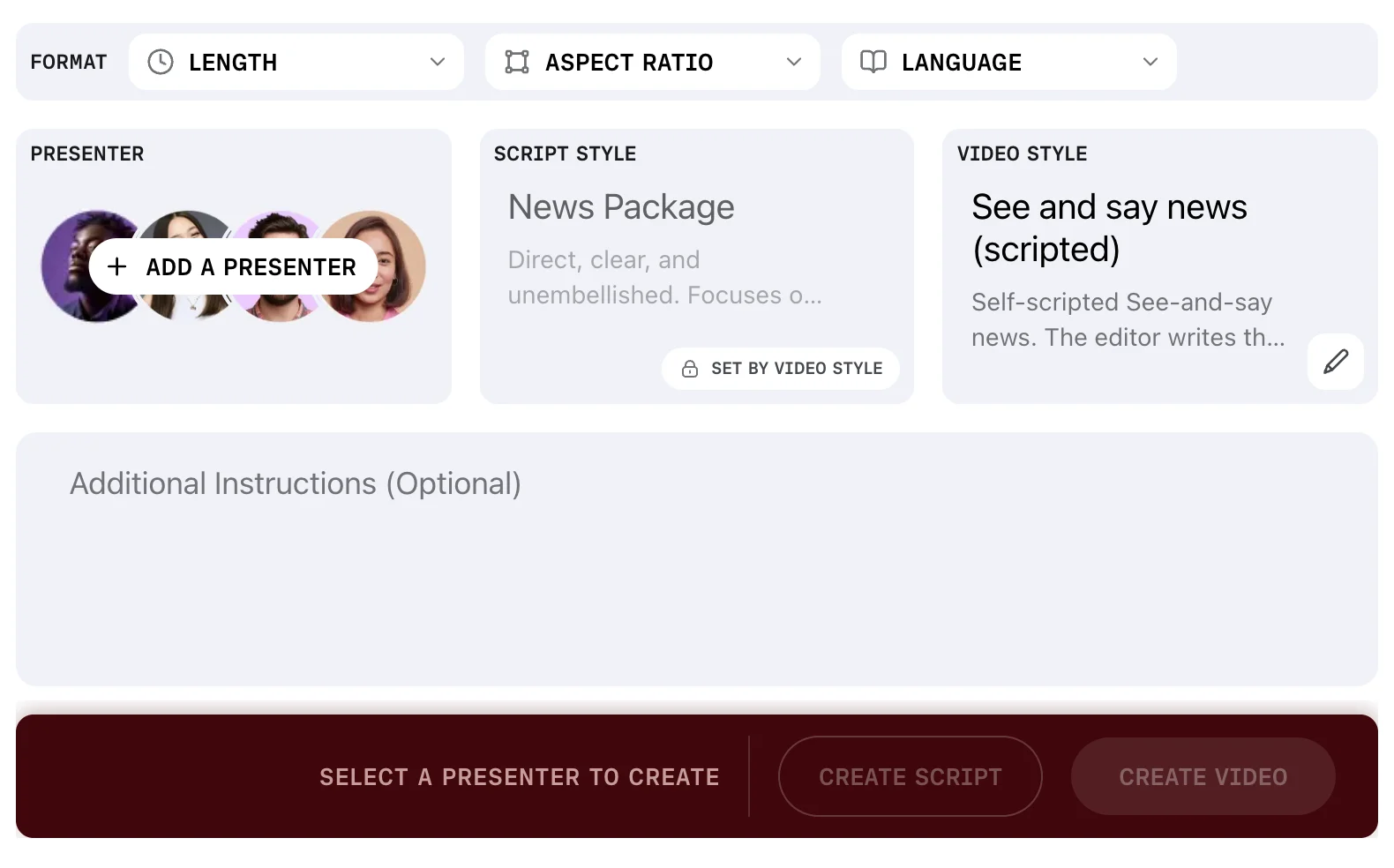
A video style controls the output's pacing, graphics, music and framing. Choose one in the VIDEO STYLE slot at the Assignment Desk.
Choosing one
Open the VIDEO STYLE slot and a picker appears below the brief, headed Choose video style.
Each card carries a name and a description of the edit it produces. Use Find video style to search the list.
Once a presenter, a script style and a video style are all set, the prompt in the action bar clears and both create buttons enable.
You pick one, you do not build one
The video style picker offers no create control. Video styles come with Prism, and you choose from the ones on your account.
On Enterprise plans, we build custom video styles with your team, working through each one together until it cuts the way your newsroom does.
If your account has none, the list reads No video styles yet. Contact your platform admin to add one. On a self-serve plan, contact us. Nothing can be created until a style exists, because the slot is required.
It can override your script style
After you choose a video style, the SCRIPT STYLE card can grey out and show the badge SET BY VIDEO STYLE.
The script style you chose is still shown, but it is not used.
Not every video style does this. Check the script style card after you pick, and if the badge is there, the video style is writing its own script rules.
A video style can also bring its own presenter, in which case the presenter in the brief is not used.
What a style carries
You do not edit these, but knowing what a style holds explains why two styles produce such different videos.
| Area | What the style decides |
|---|---|
| Pacing | How long a shot holds, and how footage is cut |
| Audio | Whether narration is used, and how music sits under it |
| Graphics | Opening and closing cards, lower thirds, logo placement |
| Brand | The brand kit it draws logos, colours, fonts and music from |
A style that links a brand kit is how your visual material reaches an edit.
Prism styles and account styles
On the styles page, the VIDEO STYLES tab lists Prism's own styles and your account's together, with a filter between the two and a search. Prism's ship with the product and are read-only for everyone.
Reusing a style you liked
Save the whole brief as a preset once you find a combination that works.
The preset carries the video style with it, along with the presenter, the script style and the format.
Presets covers how to make one and how to apply it.
FAQ
Can I change the music a style uses?
Not from the picker. Music comes from the style and the brand kit it links.