Enterprise Available on Enterprise plans.
Writing with Prism
Ask the agent to draft, rewrite and restructure.
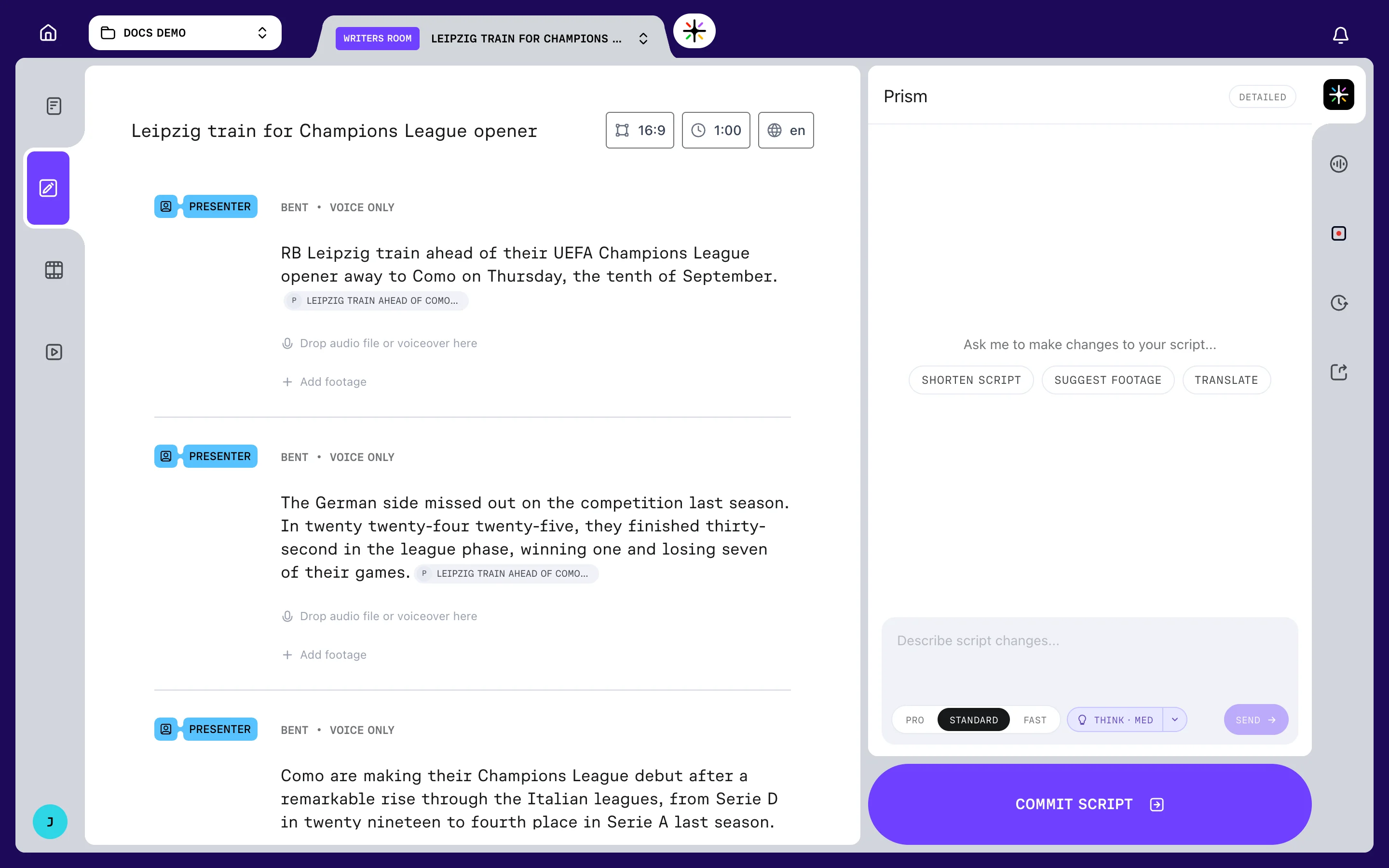
Prism is the agent built into the Writers Room. It reads the script you have and proposes changes to it.
It never writes straight into your script. Everything it produces arrives as a change you accept or decline.
Opening the panel
Open Prism from the top of the right rail. It takes over the right-hand side, and closes any other panel that was open.
Type into Describe script changes... and choose SEND.
What to ask for
An empty panel offers three suggestions, each of which sends a complete instruction:
- Shorten script rewrites the script to be more concise while keeping the key points
- Suggest footage asks for footage for each section of the script
- Translate asks for the entire script in Spanish
Your own instructions work the same way. The agent is given your current script in full, so you can point at a block number, a phrase or a whole section.
For a language other than Spanish, type the instruction yourself rather than using the chip.
What it can and cannot change
The agent works on the script, and only on the script. Its proposals come back in five shapes: a rewritten block, a new block, a deleted block, a rewritten soundbite, or a new soundbite.
It cannot cut picture, set voices, or touch an edit that has already been built.
Thinking and model tiers
Controls for how hard the agent works sit under the composer.
There are three tiers — PRO, STANDARD and FAST. Standard is the default.
THINK shows the agent's reasoning as it works, and the chevron beside it sets the effort: HIGH, MED or LOW. Thinking is on by default, at MED.
Thinking is not available on the Fast tier. Move to Standard or Pro if you want it.
Your tier, thinking and effort settings are remembered across sessions and shared with the other Prism panels.
One request at a time
The agent runs one request at a time. A message sent while it is working is queued, shown above the composer, and sent when the current run ends.
Cancelling a run in flight discards the queue as well, so anything waiting is lost.
Sources and citations
Where the agent draws on a source, it attaches a citation to the block. It appears as a pill at the end of the phrase it supports, with that phrase underlined.
Citations are checked before a change reaches you, and any that cannot be verified are stripped.
Hover or click a pill to see where the claim came from and how relevant the match was. Sources with no phrase to attach to are listed under the block instead, and each one can be removed.
A rewrite replaces a block's citations. A citation does not survive a rewrite it was not re-checked for.
Editing a block that has sources
Open a cited block for editing and its citations appear as numbered markers in the text.
Move a marker and the citation moves with it. Delete a marker and the citation goes.
The markers are an editing aid only. They are stripped out when you save, so they never end up in narration.
FAQ
Can Prism write the whole first draft?
Yes. Prism writes the first draft when you choose CREATE SCRIPT at the Assignment Desk. In the Writers Room, the agent then works on that draft with you.
Can I undo a change after I accept it?
Yes. Undo steps back through accepted changes, one at a time or a batch at a time — see Reviewing AI changes.
Can the agent choose footage?
It can suggest footage for a block, drawn from your project library and from external providers. It does not cut the picture itself.